
Podcast Content Calendar: How to Plan Clips, Emails, and Follow-Ups Without Creating a Mess
A practical guide to building a podcast content calendar that keeps clips, emails, guest promotion, and follow-up content aligned instead of improvised.
Podcast Content Calendar: How to Plan Clips, Emails, and Follow-Ups Without Creating a Mess
Most podcast teams do not have a promotion problem. They have a coordination problem.
The episode goes live, somebody remembers to post a clip, the guest never gets a share pack, the newsletter goes out late, and the show notes sit there doing quiet SEO work that nobody connected to the launch plan in the first place. That is how strong episodes disappear: not because the conversation was weak, but because the distribution system was improvised.
A podcast content calendar fixes that. Not by making you bureaucratic, but by making each episode easier to package, repurpose, and distribute on purpose. If you already care about podcast episode titles, podcast description examples, or podcast show notes SEO, the calendar is the operating layer that ties those assets together.
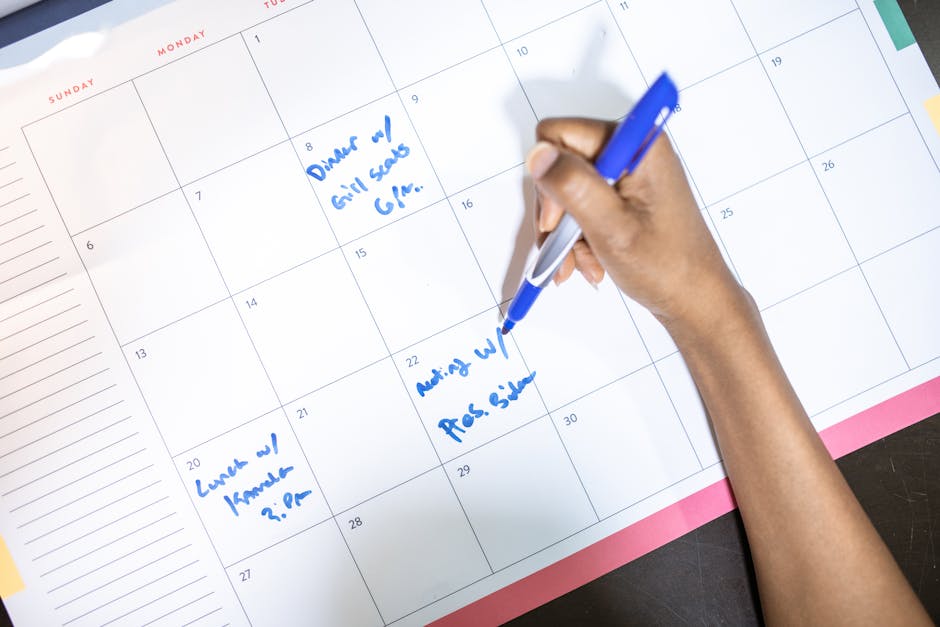
Why a podcast content calendar matters more than another brainstorm doc
A lot of teams treat planning as overhead. That sounds efficient right up until launch day turns into a small fire.
The better way to think about a content calendar is simple: it protects packaging quality. Research from the Content Marketing Institute has repeatedly shown that documented strategy and repeatable process correlate with stronger content marketing effectiveness. Their write-up on what effective B2B content marketing looks like is not podcast-specific, but the lesson travels well: teams perform better when success is documented, shared, and operationalized.
That matters for podcasts because one episode rarely lives in one place. The same release may need:
- an episode page
- a newsletter mention
- 2 to 5 short-form clips
- guest-ready assets
- a LinkedIn or founder post
- a follow-up angle for YouTube, search, or your blog
Without a calendar, those pieces get made reactively. With one, each episode becomes a small distribution system instead of a one-day upload.
What should actually go into a podcast content calendar?
A useful calendar does not need twenty columns and a project manager with a whistle. It just needs to reflect the work that actually happens after recording.
For most shows, the core fields are:
- episode title or working title
- recording date
- publish date
- episode angle or takeaway
- primary clip themes
- guest amplification tasks
- newsletter send date
- website or blog follow-up tasks
- status for assets that are still missing
The mistake is making the calendar about dates only. A good calendar also carries packaging context. If you know the episode hook, the strongest quotable moments, and the likely channels before publish day, the rest of the workflow gets lighter.
This is also where many teams accidentally split planning from creation. The calendar says “promote episode,” but nobody defines how. That is too vague to execute well.
Plan around content units, not just the release date
One smart shift is to stop treating the episode as the only asset. The episode is the source file. The actual calendar should be built around content units.
For example:
- Launch day: publish episode, post main clip, update show notes, send newsletter
- Day 2: post a second clip with a different hook
- Day 3 or 4: publish a guest-ready asset or a quote-led post
- Week 2: turn one insight into a search-friendly article or follow-up thread
That is how one recording starts behaving like a content system.
It also keeps you from repeating the same creative everywhere. A lot of podcast promotion underperforms because teams post the identical asset on every surface and call it distribution. That is one of the reasons how to repurpose podcast content is really a workflow question, not just an editing question.

The easiest weekly calendar format for lean teams
If you want a practical starting point, use a four-part structure for every episode:
1. Core release asset
This is the episode itself: title, description, thumbnail, show notes, and destination page.
2. Discovery assets
These are the short-form clips, teaser cuts, or quote-led posts that help strangers find the episode in feeds.
3. Relationship assets
This includes the guest email, share pack, newsletter mention, and any direct audience touchpoint that deepens the relationship instead of chasing raw impressions.
4. Compounding assets
These are the things that keep working after launch week: a blog post, searchable transcript excerpt, internal link from a related article, or a second clip angle tied to a recurring theme.
That structure is useful because it forces a healthy question: are we only publishing episodes, or are we building distribution memory?
Where most podcast calendars break
Most failures are boring. The calendar exists, but it is too abstract to help.
Common problems:
- the owner of each asset is unclear
- clips are listed, but no angle or hook is defined
- the newsletter is on the plan, but no copy is prepared
- guest promotion is remembered too late
- there is no distinction between “scheduled,” “ready,” and “published”
Another failure mode is treating platform requirements as an afterthought. YouTube itself recommends being deliberate about descriptions, context, and viewer clarity in its guidance on writing video descriptions. Apple is similarly strict about metadata structure through its podcast RSS requirements. If your calendar never prompts the team to finalize those packaging elements, the plan is incomplete.
The calendar should not just say post clip. It should say which clip, what angle, where it goes, and what supporting copy needs to exist before someone hits publish.
How Loonacast fits into the calendar without pretending to be the calendar
This part matters: Loonacast is not a publishing calendar or social scheduler, and pretending otherwise would be sloppy.
What it does help with is the messy middle where podcast teams lose time: turning a recorded episode into usable short-form assets. You can import an episode from YouTube, RSS, Riverside, or a file upload, generate candidate story moments, and turn those moments into finished clips with captions, smart layouts, branding, and B-roll support. That means your calendar can reference real clip options instead of vague placeholders like “make social cutdowns later.”
In practice, that is useful because the calendar gets better when asset creation gets faster. If your team can identify 5 to 10 promising moments, refine transcript-based boundaries in the Studio editor, and save polished clips for different formats, the weekly plan becomes easier to keep.
It also pairs naturally with related workflows like podcast guest promotion, podcast newsletter strategy, and platform-specific posts such as podcast clips for LinkedIn.
A simple podcast content calendar template to steal
If your current system is a mess, start here:
| Field | What to write |
|---|---|
| Episode | Working title + episode number |
| Publish date | Go-live date and time |
| Core angle | One-sentence reason this episode matters |
| Clip 1 | Hook + platform + owner |
| Clip 2 | Alternate hook + platform + owner |
| Guest pack | Yes/no + send date |
| Newsletter | Subject angle + send date |
| Site follow-up | Show notes, blog post, transcript excerpt, or none |
| Status | Not started / in progress / ready / published |
You do not need to keep this exact format forever. The point is to make the invisible work visible.
Final takeaway
The best podcast content calendar is not the prettiest one. It is the one that makes every episode easier to ship, easier to repurpose, and harder to waste.
If your current promotion process depends on memory and last-minute scrambling, the fix is not another burst of effort. It is a better operating system. Build the calendar around assets, hooks, and owners. Then use tools like Loonacast to make the clip-production side less manual, so the plan can survive contact with real life.
Want more reach from your podcast, without the extra work?
Loonacast is the done-for-you agency for podcasters. You record the episode; we turn it into social clips, publish them, and grow your reach.