Feature
Upload from Anywhere
Bring your podcast in from anywhere. Direct upload, YouTube, RSS feed with auto-sync, or Riverside. Your content flows seamlessly into the pipeline.
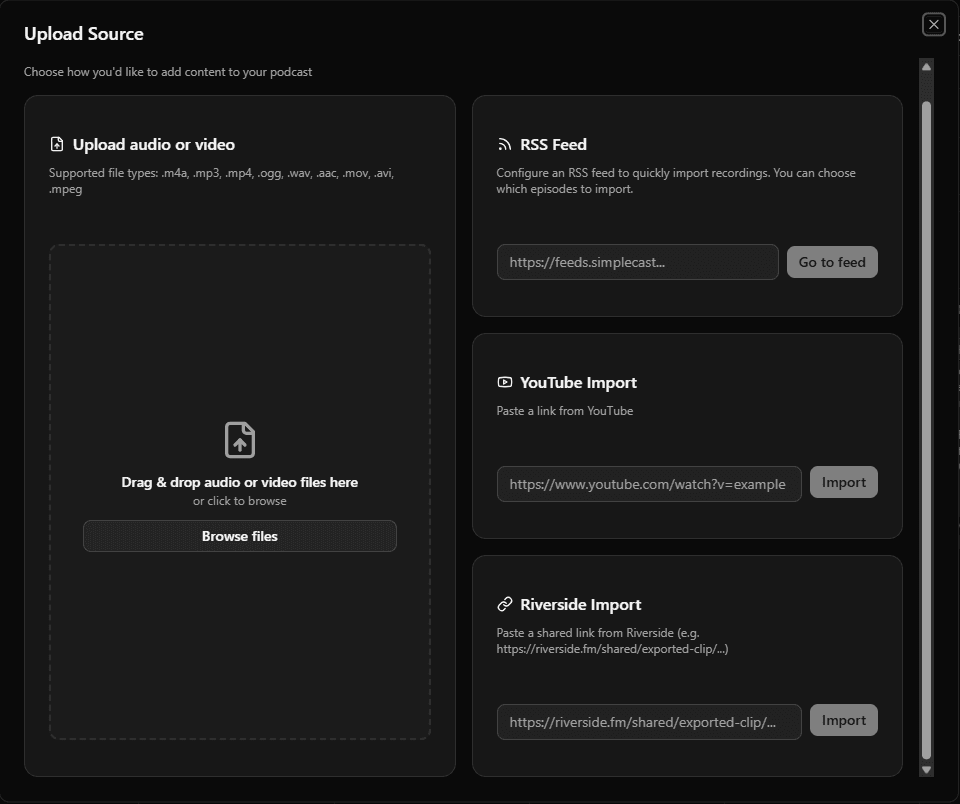
Four Ways to Import
Direct Upload
Drag & drop or browse. Support for MP4, MOV, AVI, MP3, M4A, WAV, and more.
YouTube Import
Paste any YouTube URL. Video is downloaded with metadata automatically extracted.
RSS Feed Sync
Connect your podcast feed. New episodes are imported automatically.
Riverside Import
Import directly from Riverside.fm shared links.
Supported Formats
Video
MP4MPEGMOVAVIWebMMKV
Audio
MP3M4AWAVOGGAACOPUSFLAC
Early Access
Start importing your episodes
Upload once, distribute everywhere. Your podcast content automation starts with a simple upload.
or
Supports YouTube, Riverside, or RSS links.