Your Command Center
The Dashboard is your starting point: a quick overview of all podcasts and their key metrics — including uploaded episodes, created clips, and text posts.
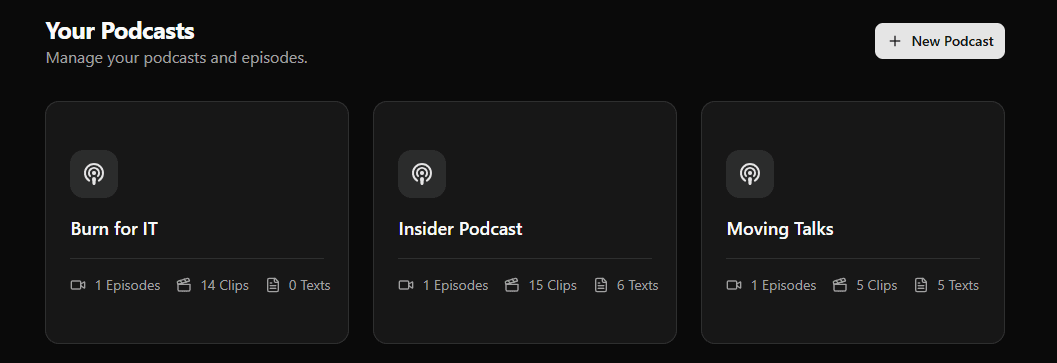
Everything at a Glance
Quick Statistics
Get an at-a-glance overview of your podcasts and their activity so you know what’s happening today.
Podcast Cards
Each podcast shows how many episodes you uploaded — and how many clips and text posts you created from them.
Create New Podcasts
Add a new podcast in seconds and start uploading episodes right away.
Rename & Delete
Keep your workspace clean: rename podcasts anytime, or delete ones you no longer need.
Clips Count
Track how many clips you’ve created per podcast to measure your short-form output.
Text Posts Count
See how many text posts you generated per podcast for fast repurposing and distribution.
How It Works
Create Podcast
Add a new podcast with a name to start organizing your content.
Upload & Create
Upload episodes and create clips and text posts — all tracked per podcast.
Manage Podcasts
Rename podcasts anytime or delete ones you don’t need anymore.
Ready to manage your podcasts smarter?
Get a unified dashboard for all your shows. Track uploaded episodes, created clips, and text posts — and manage podcasts with rename and delete controls.
Supports YouTube, Riverside, or RSS links.